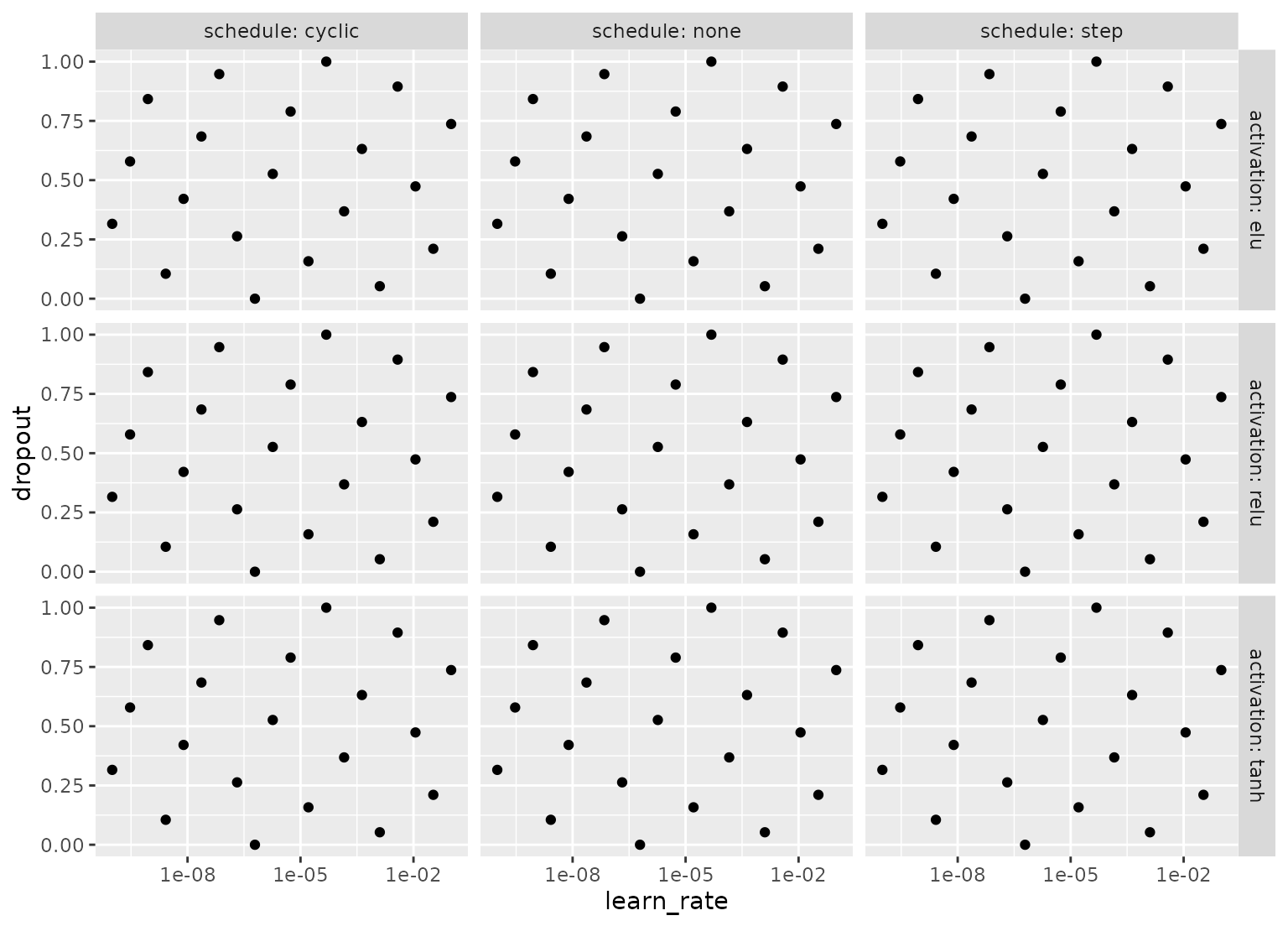
A grid can be created that is efficient for some parameter(s) but fine-grained for others. This can be especially helpful when a model has a "submodel" parameter that can be tuned with virtually no cost.
Usage
grid_hybrid(
  x,
  ...,
  sfd_size = 10,
  sfd_type = "any",
  reg_parameters = NULL,
  reg_levels = 20,
  original = TRUE
)

# Default S3 method
grid_hybrid(
  x,
  ...,
  sfd_size = 10,
  sfd_type = "any",
  reg_parameters = NULL,
  reg_levels = 20,
  original = TRUE
)

# S3 method for class 'parameters'
grid_hybrid(
  x,
  ...,
  sfd_size = 10,
  sfd_type = "any",
  reg_parameters = NULL,
  reg_levels = 20,
  original = TRUE
)

# S3 method for class 'list'
grid_hybrid(
  x,
  ...,
  sfd_size = 10,
  sfd_type = "any",
  reg_parameters = NULL,
  reg_levels = 20,
  original = TRUE
)

# S3 method for class 'param'
grid_hybrid(
  x,
  ...,
  sfd_size = 10,
  sfd_type = "any",
  reg_parameters = NULL,
  reg_levels = 20,
  original = TRUE
)
Arguments
- x
A
paramobject, list, orparameters.- ...
One or more
paramobjects (such asmtry()orpenalty()). None of the objects can haveunknown()values in the parameter ranges or values.- sfd_size
An integer for the maximum size of the space-filling portion of the design.
- sfd_type
The type of space-filling design. See the
typeargument ofgrid_space_filling()for possible values.- reg_parameters
<
tidy-select> The parameter(s) used to make the regular portion of the grid, selected by their identifiers. If no parameters are selected, a space-filling design withsfd_sizecandidates is created. If all parameters are selected, a regular grid withreg_levels^pcandidates is created wherepis the number of selected parameters.- reg_levels
The number of values for each regular grid parameter.
- original
A logical: should the parameters be in the original units or in the transformed space (if any)?
Details
This function first creates a space-filling design for the parameters that
are not selected by reg_parameters (with sfd_size total candidates). Then
a regular grid is created with reg_levels^p candidates where p is the
number of parameters selected by reg_parameters. These two grids are
crossed to produce the end result.
Examples
if (rlang::is_installed("ggplot2")) {

  library(ggplot2)

  # Most boosting methods can make many predictions across a number of trees
  # from a single model fit object. Those are nearly free (computationally) so
  # we would do many tree values for each of the other parameters.

  # To illustrate, we'll only show four tree values:

  boost_example <-
    parameters(list(trees = trees(), learn_rate = learn_rate(), min_n = min_n()))

  boost_example |>
    grid_hybrid(reg_parameters = trees, sfd_size = 20, reg_levels = 4) |>
    ggplot(aes(learn_rate, min_n)) +
    geom_point() +
    facet_wrap(~ trees, labeller = "label_both") +
    scale_x_log10()

  # In other cases, we have 1+ parameters with very few values. We can make a
  # small regular grid over these and a much larger space-filling design

  nnet_example <-
    parameters(
      list(
        learn_rate = learn_rate(),
        dropout = dropout(),
        # Only a few values:
        activation = activation(c("relu", "tanh", "elu")),
        schedule = rate_schedule(c("none", "cyclic", "step")) # note different name
      )
    )

  nnet_example |>
    grid_hybrid(
      reg_parameters = c(activation, schedule),
      sfd_size = 20,
      reg_levels = 3
    ) |>
    ggplot(aes(learn_rate, dropout)) +
    geom_point() +
    facet_grid(activation ~ schedule, labeller = "label_both") +
    scale_x_log10()
}
#>
#> Attaching package: ‘ggplot2’
#> The following object is masked from ‘package:kernlab’:
#>
#>     alpha